You can have great ads, a strong landing page, and thousands of clicks—but if you don’t know what happens after someone clicks your ad, you are essentially optimizing in the dark.
After more than six years in performance marketing, one of the first things I look at when taking over a Google Ads account is not the campaigns, keywords, or ad copy.
I look at the tracking.
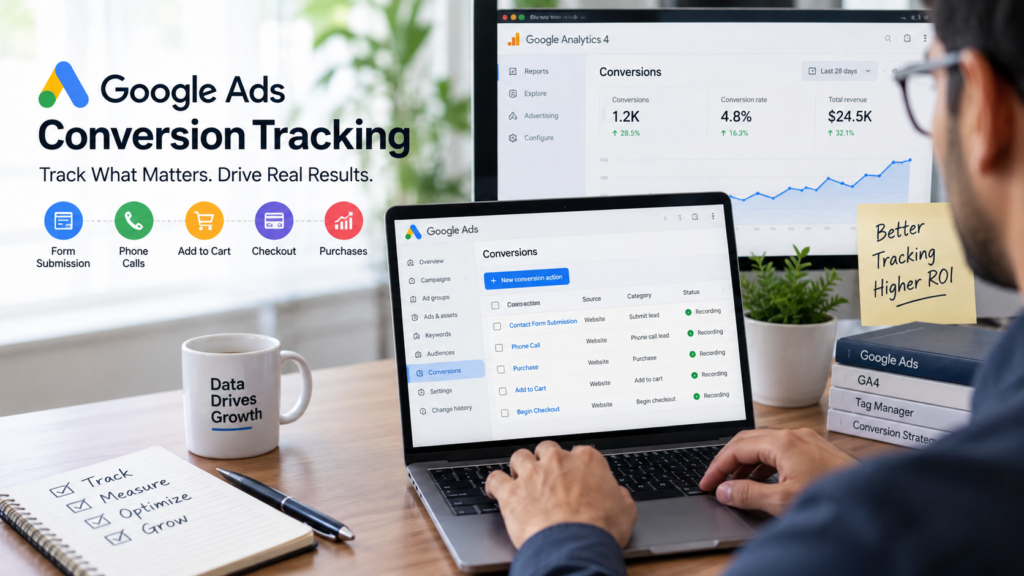
Before spending money on Google Ads, we need to know what a successful outcome actually means for the business. Is it a lead form submission? A phone call? An appointment booking? An add-to-cart? A checkout? Or an actual purchase?
This is why Google Ads conversion tracking should be one of the first priorities of any paid advertising campaign.
At ConversionTrackings.com, our approach is simple: first define what matters to the business, then make sure those actions are tracked accurately, and finally make sure valuable conversion data is being sent back to the advertising platform.
What Is Google Ads Conversion Tracking?
Google Ads conversion tracking measures valuable actions that happen after someone interacts with your advertising.
These actions can include:
- Form submissions
- Phone calls
- Appointment bookings
- Purchases
- Add-to-cart actions
- Checkout completions
- Sign-ups
- Other business-critical actions
Google defines a conversion as an action that is valuable to a business, such as a purchase, lead, phone call or download. Conversion tracking also helps advertisers understand which campaigns, ads and keywords are generating those valuable actions.
But there is an important distinction:
Tracking an event is not the same as tracking a business outcome.
That distinction is where many Google Ads accounts go wrong.
Why Conversion Tracking Should Come Before Campaign Optimization
One of the biggest mistakes we see is starting Google Ads campaigns and focusing immediately on clicks, impressions or traffic.
If the business’s real objective is generating leads or sales, clicks alone don’t tell you whether the advertising is working.
For example:
| Business Type | Key Conversion Actions |
|---|---|
| Lead generation | Form submission, qualified lead, phone call |
| E-commerce | Purchase, checkout, add to cart |
| SaaS | Sign-up, demo request, subscription |
| Local business | Calls, bookings, enquiries |
| Service business | Lead, appointment, qualified customer |
If these actions aren’t properly tracked, campaign optimization becomes guesswork.
Clicks are activity. Conversions are outcomes.
And if the conversion data is wrong, even an experienced performance marketer can end up making the wrong optimization decisions.
Phase 1: Capture the Right Conversion Data
The first phase of our conversion tracking process is understanding and measuring what users do.
This usually involves a combination of:
Website → Google Tag Manager → GA4 → Google Ads
GA4 uses events to measure interactions on a website. Important events can then be identified as key events, and relevant GA4 key events can be used as Google Ads conversions.
For example:
Form Submission → GA4 Event → Key Event → Google Ads Conversion
The exact implementation depends on the website, technology stack and business objective.
That’s why conversion tracking shouldn’t be treated as a simple “install a tag and forget about it” task.
Phase 2: Send Valuable Outcomes Back to Google Ads
This is where advanced conversion tracking becomes significantly more valuable.
Imagine a campaign generates 100 leads.
On the surface, that looks successful.
But what if only 20 of those leads are qualified and only 5 eventually become customers?
If Google only knows about the original 100 form submissions, it doesn’t have the complete picture of what actually creates business value.
The second phase is therefore about feeding meaningful conversion outcomes back into the advertising ecosystem where the technical setup supports it.
The journey can look like:
Ad Click → Lead → Qualified Lead → Customer → Revenue
The more accurately the platform can understand which interactions are associated with valuable outcomes, the more useful that data becomes for campaign optimization.
Google’s Smart Bidding systems use conversion and conversion-value signals to optimize bids toward business goals.
Enhanced Conversions: Improving the Quality of Your Data
For many businesses, standard conversion tracking isn’t the end of the process.
Enhanced Conversions can supplement existing conversion tracking by using hashed first-party customer data to improve conversion measurement.
Google says Enhanced Conversions can improve measurement accuracy and support better bidding optimization.
Google has also updated its Enhanced Conversions setup in 2026, combining Enhanced Conversions for web and leads into a unified setting and supporting data from website tags, Data Manager and API connections.
For businesses running serious paid-media campaigns, these developments make a properly designed measurement infrastructure increasingly important.
Testing Is Just as Important as Implementation
Having a conversion tag installed doesn’t necessarily mean that your tracking is working correctly.
A professional conversion tracking setup should be tested and validated.
Some of the areas we typically verify include:
| Conversion | What Needs to Be Validated |
|---|---|
| Lead form | Correct event fires once after submission |
| Phone call | Correct call conversion is attributed |
| Purchase | Transaction, value and relevant data are captured |
| Add to cart | Correct product/action is recorded |
| Checkout | Event fires at the appropriate stage |
| GA4 | Event and key event are recorded correctly |
| Google Ads | Conversion reaches the correct conversion action |
| CRM | Lead/customer data can be reconciled with advertising data |
Google also provides tools and reporting to help validate Enhanced Conversions and conversion measurement.
Why Incorrect Tracking Can Waste Your Ad Budget
Consider a business spending $10,000 on Google Ads.
The campaigns generate 50 genuine leads, but because of a tracking problem, Google Ads records only 20.
The advertising platform is now working with incomplete information.
That can affect how performance is evaluated and how conversion-based bidding responds to the available data.
Google specifically states that conversion tracking provides information used to optimize campaigns and supports conversion-focused automated bidding strategies.
This is why our philosophy is simple:
Don’t aggressively optimize a Google Ads campaign until you know the conversion data is trustworthy.
Our Two-Phase Approach to Conversion Tracking
At ConversionTrackings.com, we look at conversion tracking in two major phases.
Phase 1: Measure the actions
We identify the KPIs that matter to the business and make sure those actions are being captured correctly across the relevant platforms.
The goal is to answer:
“What are users doing after interacting with our advertising?”
Phase 2: Measure the business outcomes
We then look beyond the initial website action.
Where appropriate, we connect meaningful downstream outcomes—such as qualified leads, purchases or revenue—to the advertising data.
The goal becomes:
“Which advertising interactions are actually creating business value?”
This creates a feedback loop:
Advertising → User → Conversion → Business Outcome → Data → Campaign Optimization
That’s the real purpose of conversion tracking.
Why Businesses Use Professional Conversion Tracking Services
Conversion tracking can look simple from the outside.
In practice, a reliable setup can involve multiple systems:
- Website
- Google Tag Manager
- GA4
- Google Ads
- CRM
- E-commerce platform
- Call tracking
- APIs
- Offline conversion data
- Enhanced Conversions
A mistake in any part of that chain can affect the data being used for campaign decisions.
That’s why we don’t view conversion tracking as simply installing a Google tag.
It’s about building a reliable measurement system around the business’s actual goals.
If you’re already spending money on Google Ads, getting the tracking right can be just as important as optimizing the campaigns themselves.
Frequently Asked Questions
What is Google Ads conversion tracking?
Google Ads conversion tracking measures valuable actions that occur after users interact with your advertisements, such as purchases, leads, calls or sign-ups.
Why is conversion tracking important for Google Ads?
It helps businesses understand which advertising activity is generating valuable actions and provides conversion data that can be used for campaign optimization and automated bidding.
What is the difference between GA4 and Google Ads conversion tracking?
GA4 is designed for broader analytics and customer-journey measurement, while Google Ads conversion tracking is specifically designed to measure actions that can be used for Google Ads reporting and optimization. The two platforms can be connected so relevant GA4 events can be used as Google Ads conversions.
What are Enhanced Conversions?
Enhanced Conversions use hashed first-party customer information to supplement existing conversion measurement and can improve measurement accuracy and bidding optimization.
Do I need professional help with conversion tracking?
If your business relies heavily on paid advertising, especially when leads, purchases, CRM data or multiple tracking platforms are involved, professional implementation can help ensure that the data used for optimization is accurate and reliable.
Final Thoughts
Google Ads conversion tracking isn’t just a technical checkbox.
It is the foundation of your advertising measurement and optimization strategy.
You can have excellent campaigns, compelling ads and a strong landing page—but if your conversion data is incomplete or inaccurate, you’re making decisions based on unreliable information.
After more than six years in performance marketing, our approach is straightforward:
Define what matters. Track it correctly. Test the data. Connect meaningful outcomes. Then optimize.
Because the goal of Google Ads isn’t to generate the most clicks.
The goal is to generate measurable business results.
How ConversionTrackings.com Can Help
If your Google Ads account is running but you’re not confident that your leads, purchases, calls or other important actions are being tracked correctly, ConversionTrackings.com can help audit, implement, test and improve your conversion tracking setup.
Explore our Conversion Tracking Services →
Explore GA4 Setup & Analytics →
Learn about Google Tag Manager →
External Resources
For platform-specific information, we recommend referring to Google’s official documentation: